Cold Email Deliverability: The Complete Setup Guide for 2026
You crafted the perfect cold email. Subject line that stops scrolls.
Personalization that creates genuine relevance. Value proposition that compels action.
But your email deliverability is broken, and nobody ever reads your masterpiece. It lands in the spam folder, invisible to the decision-makers you spent weeks identifying.
This deliverability guide will show you the best practices to ensure your email reaches the inbox.
The brutal reality: your cold email is only as effective as your infrastructure allows. Content excellence means nothing if spam filters intercept your messages before inbox delivery.
In 2026, inbox providers have refined their algorithms to the point where sloppy infrastructure guarantees spam folder placement regardless of how compelling your copy is.
This guide covers every element of cold email deliverability: how spam filters work, which authentication protocols you need, how to warm up domains properly, what volume limits protect your reputation, and how to monitor metrics that actually matter. Whether you’re running a standalone outreach effort or a full email marketing campaign, these principles apply.
what’s Cold Email Deliverability and Why Does It Matter?
Email deliverability measures whether your messages reach the intended inbox rather than being filtered, bounced, or blocked. It encompasses every factor that determines whether your cold emails reaches human eyes.
When you send cold emails, the difference between proper infrastructure and sloppy setup determines whether they land in the primary inbox or spam folder. Every email campaign you launch depends on this foundation to ensure your email gets read.
The stakes are straightforward: if your deliverability rate is 20%, you’re sending five emails for every one actually read. Eighty percent of your investment vanishes into void.
If your deliverability rate reaches 95%, nearly every email you send receives potential attention.
For B2B sales organizations running cold email campaigns, this difference is existential. Your reply rate depends on emails being read.
Your pipeline depends on replies. Your revenue depends on pipeline.
Email deliverability isn’t a technical optimization. it’s the foundation your entire outbound operation builds upon.
Understanding how cold emails land in the inbox requires mastering the technical infrastructure that email providers evaluate. When you send an email that lands in the inbox, your chances of generating a response multiply exponentially.
The Anatomy of Email Delivery Decisions
When an email service provider receives your message, it evaluates hundreds of signals in milliseconds. Your sending domain’s reputation.
Your IP address’s history. Your authentication status.
Your content characteristics. Your recipient’s engagement history with similar messages.
All of this gets synthesized into a delivery decision: primary inbox, promotional tab, spam folder, or rejection.
Understanding this evaluation process is essential for building infrastructure that earns favorable decisions consistently.
How Do Spam Filters Work and What Triggers Them?
Spam filters are machine learning systems trained on billions of emails to identify unwanted messages. They analyze content patterns, sender behavior, and recipient feedback to make probabilistic judgments about message quality.
Content triggers are the most obvious category. Certain words, phrases, and formatting patterns correlate strongly with spam.
Excessive punctuation, ALL CAPS, urgency language like “ACT NOW” or “LIMITED TIME,” and financial claims like “FREE” or “No Risk” all increase spam filter probability. Following best practices for email content helps you avoid spam filters more effectively.
HTML formatting with embedded images, mismatched text-to-image ratios, and suspicious links also trigger content analysis.
Behavioral triggers operate behind the scenes. Sudden sending volume spikes.
Concentrated sending windows. High bounce rates.
Low engagement rates. Spam complaint rates.
All of these signals indicate to filters that your messages may be unwanted.
Infrastructure triggers include authentication failures, MX record misconfigurations, and shared IP reputation damage from other senders. These technical factors are often overlooked but can single-handedly destroy inbox placement.
How Filters Evaluate Your Sending Infrastructure
Modern spam filters don’t evaluate individual emails in isolation. They evaluate sender reputation as established through historical sending patterns.
A new domain sending 10,000 emails on day one triggers immediate scrutiny. An established domain gradually increasing volume over weeks demonstrates legitimate behavior patterns.
The filters also evaluate recipient-specific signals. If Gmail users consistently move your messages to spam, future emails to Gmail users face raised filtering probability.
If users frequently reply to and engage with your emails, future emails receive preferential treatment. This recipient-specific reputation is why warm-up and engagement management are so critical.
What Email Authentication Protocols Do I Need (SPF, DKIM, DMARC)?
Email authentication is the technical foundation of cold email deliverability. Without proper authentication, inbox providers have no way to verify your identity, which makes filtering decisions default to caution.
- SPF (Sender Policy Framework) , Authorizes specific servers to send email on your behalf by listing permitted IP addresses in DNS records
- DKIM (DomainKeys Identified Mail) , Adds cryptographic signatures proving emails weren’t modified in transit using public-private key pairs
- DMARC (Domain-based Message Authentication, Reporting, and Conformance) , Enforces authentication and provides visibility into sending activity with policy enforcement
- Implementation Sequence , First identify sending services, then generate SPF records, configure DKIM keys, publish DMARC starting with monitoring policies
- Verification , Use MXToolbox or Mail Tester to ensure records propagate correctly before launching campaigns
SPF (Sender Policy Framework) authorizes specific servers to send email on your behalf. When you configure SPF, you publish a DNS record listing every IP address permitted to send emails from your domain.
Receiving servers check this record against the actual sending server’s IP. Mismatches indicate potential spoofing and trigger filtering.
Proper SPF configuration requires listing every service that sends email for your domain: your cold email platform, your CRM, your marketing automation, any other system with sending capability. Incomplete SPF records cause legitimate emails to fail authentication.
DKIM (DomainKeys Identified Mail) adds cryptographic signatures that prove your emails weren’t modified in transit. Your sending server attaches a digital signature using a private key.
Receiving servers use the public key published in your DNS to verify the signature. Valid DKIM signatures indicate legitimate, untampered content.
DMARC (Domain-based Message Authentication, Reporting, and Conformance) enforces authentication and provides visibility into sending activity. DMARC policies tell receiving servers what to do when SPF or DKIM fails.
They also send reports showing authentication results so you can identify unauthorized sending.
Implementing Authentication Step by Step
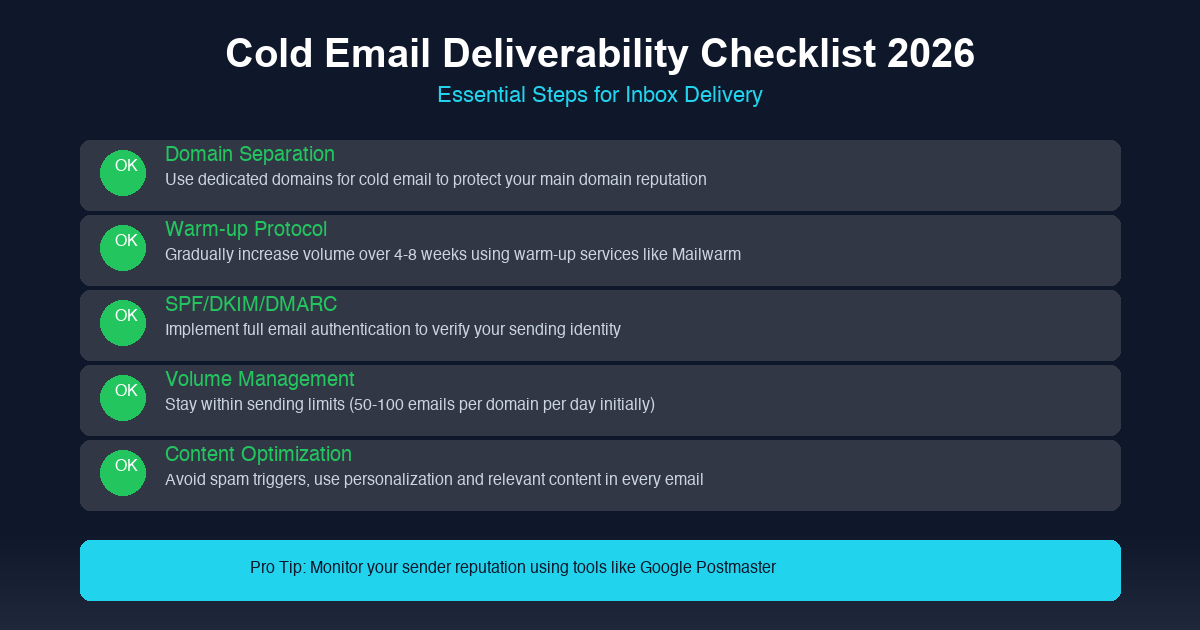
Authentication setup follows a specific sequence. First, identify every service that sends email for your domain.
Second, generate SPF records that include all authorized IPs. Third, configure DKIM keys for your primary sending infrastructure.
Fourth, publish DMARC records starting with monitoring policies (p=none) before moving to enforcement (p=quarantine or p=reject).
Many cold email platforms provide automated authentication setup. However, verify the configuration manually using tools like MXToolbox or Mail Tester to ensure records propagate correctly.
How Do I Warm Up Cold Email Domains and Inboxes Properly?
Warm-up is the process of gradually building sending reputation for new domains. Skipping this step guarantees poor inbox placement because inbox providers interpret sudden volume from unknown domains as spam behavior.
- Week One , 20-30 emails daily to highly engaged recipients: colleagues, existing contacts, warm leads who will definitely open and reply
- Week Two , 50-75 emails daily with continued engagement priority, mixing cold prospects with warm contacts conservatively
- Week Three , 100-150 emails daily, monitoring engagement metrics closely; reduce volume if open rates drop or bounces climb
- Week Four and Beyond , Gradual increases toward target volume based on demonstrated reputation, up to 200-300 daily
- Engagement Priority , Quality of engagement matters more than volume; prioritize warm recipients during warm-up phase
- Warm-Up Acceleration , Some platforms offer services that automate engagement generation through networks of real email accounts
Proper warm-up follows a graduated ramp that matches volume increases to reputation development. Week one targets 20-30 emails daily to highly engaged recipients: colleagues, existing contacts, warm leads who will definitely open and reply.
Week two increases to 50-75 daily with continued engagement priority. Week three reaches 100-150 daily, beginning to introduce cold emails to cold prospects alongside warm contacts.
Week four expands to 200-300 daily approaching meaningful volume.
The critical principle: engagement matters more than volume during warm-up. If your warm-up emails generate low open rates or high spam complaints, you’re building negative reputation instead of positive.
Prioritize quality of engagement over quantity of sends.
Accelerated Warm-Up Through Engagement Networks
Some cold email platforms offer warm-up services that automate engagement generation. These services create networks of real email accounts that automatically open, reply to, and engage with your warm-up emails.
This artificial engagement signals positive recipient behavior to inbox providers, accelerating reputation building.
Even with automation assistance, manual engagement from real connections during early weeks provides the most stable foundation. Use your personal network strategically during warm-up periods to generate authentic engagement signals.
what’s the Ideal Daily Sending Volume for New Domains?
Volume limits depend on domain age, reputation status, and engagement history.
Fresh domains (under 30 days old) should send no more than 30-50 emails daily. This conservative limit allows inbox providers to establish baseline reputation without triggering volume-based filtering.
Many senders damage new domains irreparably by rushing this phase. When you need to scale your cold emails, resist the urge to accelerate beyond safe limits and instead focus on building a good email reputation gradually.
This is one of the most critical best practices for any email campaign targeting new domains.
Developing domains (30-90 days) can scale to 100-300 emails daily with demonstrated positive engagement. Increase volume gradually while monitoring bounce rates, spam complaints, and inbox placement scores.
Any degradation in metrics should trigger volume reduction. Each stage of your email campaign requires careful attention to these metrics to ensure your email infrastructure remains healthy.
Established domains (90+ days) with proven reputation can handle 300-500 emails daily with continued monitoring. Some well-maintained domains reach 1,000+ daily sends, but this level requires established sender history and excellent engagement metrics.
The Math Behind Volume Decisions
Volume should correlate with engagement capacity, not arbitrary targets. If you send 500 emails but only 50 recipients engage positively, your reputation grows slower than if you sent 200 emails with 100 recipients engaging.
Quality of engagement determines reputation velocity.
When
scaling volume, increase gradually (no more than 20% weekly) and monitor metrics closely. If inbox placement rates drop, reduce volume and let reputation stabilize before attempting further increases.
How Do I Monitor and Maintain Good Sender Reputation?
Sender reputation is a composite score maintained by inbox providers based on multiple signals. Protecting it requires continuous monitoring and proactive management.
Each campaign you launch depends on this reputation foundation to determine where your cold emails land in the inbox.
Google Postmaster Tools provides free visibility into your reputation status with Gmail, including authentication results, spam complaint rates, and delivery statistics. Microsoft SNDS offers similar insights for Outlook and Microsoft 365 recipients.
Most professional cold email platforms include built-in reputation monitoring dashboards.
Key metrics to track daily: bounce rate (target under 2% hard bounces), spam complaint rate (target under 0.1%), inbox placement rate (target above 95%), and engagement rates (open rate and reply). Any metric trending in the wrong direction requires investigation and correction.
Reputation Recovery Strategies
If your reputation becomes damaged, recovery requires immediate action. Pause or reduce sending to allow reputation reset.
Investigate root causes: high bounces indicate data problems, spam complaints indicate content issues, sudden volume changes indicate behavioral problems. Address identified issues before resuming normal volume.
Severely damaged domains often can’t fully recover. In these cases, retire the domain and bring up fresh domains following proper warm-up protocols.
The investment in new domains is less than the ongoing cost of poor reputation.
What Content Factors Affect Cold Email Deliverability?
Even perfect infrastructure fails with poor content. Spam filters evaluate your message content alongside your sending reputation.
Subject line optimization is critical. Avoid triggers: excessive punctuation, ALL CAPS, urgency language, financial claims.
Prefer personalized, specific subjects that reference the recipient’s context. “Quick question about [Company Name]’s current expansion” outperforms “Partner with us today” every time.
This applies whether you send cold emails as part of a multi-touch campaign or as standalone outreach efforts. Following email content best practices directly impacts your open rate and overall campaign success.
Body content should be conversational and focused. Short paragraphs (2-3 sentences maximum) signal human-written communication rather than bulk templates.
One clear call-to-action prevents confusion about desired next steps. Personalization beyond name and company demonstrates genuine research rather than merge tag insertion.
Every cold email you send should feel like a personalized note, not a mass-produced template.
HTML formatting should be minimal or absent entirely. Plain text cold email often achieves better deliverability because it avoids formatting triggers that spam filters flag.
This deliverability guide recommends plain text as a best practice to ensure your email bypasses spam filters.
Testing and Optimization Approaches
Content effectiveness varies by industry, audience, and message type. A/B test subject lines, personalization approaches, and call-to-action phrasing.
Track which variants achieve highest open rate and reply rates. Optimize continuously based on data rather than intuition.
These tests are essential for any serious email marketing campaign seeking to maximize results.
CAN-SPAM compliance is mandatory: physical address, clear unsubscribe mechanism, accurate sender identification. Non-compliance risks both deliverability problems and regulatory action.
How Do I Handle Bounces and Spam Complaints?
Bounce management is essential for maintaining sender reputation. Hard bounces (permanent failures from invalid addresses) must be removed immediately upon detection.
Continuing to send to invalid addresses signals poor list quality to inbox providers and damages reputation.
Soft bounces (temporary failures from mailbox full, server unavailable, message too large) can be retried but should be removed after multiple failures. Most cold email platforms handle this automatically with configurable policies.
Spam complaints require different handling. When a recipient marks your email as spam, inbox providers record this against your reputation.
The key is preventing complaints through proper targeting and engagement. Ensure your emails reach interested prospects, not random contacts.
Provide genuine value in every message so recipients don’t feel manipulated. Understanding how to avoid spam complaints is fundamental to maintaining high deliverability across your cold emails.
List Hygiene as Prevention
The best bounce and complaint handling is prevention through rigorous list hygiene. Verify email addresses before sending using services like ZeroBounce, NeverBounce, or Clearout.
Remove inactive addresses after defined engagement windows. Prioritize quality over quantity in every list-building decision.
Clean lists with verified addresses achieve dramatically better inbox placement than purchased or scraped lists of unknown quality. The cost of verification is always less than the cost of reputation damage.
Your email list quality directly impacts whether your outreach reaches the inbox or triggers blacklist inclusion from email providers. Every cold email you send benefits from this foundational investment in list quality.
What Tools Help Improve Cold Email Deliverability?
Multiple tools support different aspects of cold email deliverability management. These same tools help you manage cold emails at scale while maintaining the inbox placement rates that drive results.
Building a strong email marketing operation requires investing in the right technology stack.
Email service providers like Smartlead, Instant.ly, and Saleshandy provide sending infrastructure with built-in warm-up, domain rotation, and authentication management. These platforms handle the technical complexity while you focus on content and targeting.
Different email providers have varying standards for what constitutes a good email, so understanding your target audience’s email platform helps optimize deliverability.
Email verification services including ZeroBounce, NeverBounce, and Clearout validate addresses before sending to protect reputation and improve inbox placement. Integration with your sending platform ensures only verified addresses receive your messages.
Monitoring tools like MXToolbox, GlockApps, and Mail Tester provide testing and diagnostic capabilities. Use these to verify authentication setup, test inbox placement with seed lists, and diagnose delivery problems.
Postmaster tools from Google and Microsoft provide ongoing reputation monitoring for your primary sending domains. Check these weekly for any degradation requiring attention.
Building Your Deliverability Stack
A complete deliverability stack includes: sending platform with warm-up automation, email verification API for real-time validation, authentication configuration for each domain, monitoring dashboards for reputation metrics, and seed list testing for inbox verification. Each component addresses different aspects of the delivery challenge.
How Do I Test if My Cold Emails Are Landing in Inbox vs Spam?
Testing confirms whether your infrastructure and content achieve desired inbox placement.
Seed list testing sends your emails to known addresses across major inbox providers (Gmail, Outlook, Yahoo, corporate systems) and tracks where they land. Services like GlockApps, Mail Tester, and your sending platform’s built-in testing handle this automatically.
When your cold emails land in the primary inbox consistently, you know your infrastructure is working correctly.
Run tests before launching new campaign, after making infrastructure changes, and periodically during ongoing campaign. Regular testing catches problems before they cascade into major reputation damage.
Direct testing with real contacts provides ultimate confirmation. Ask warm connections to flag whether your emails arrive in inbox or spam.
Their reports reflect real-world delivery behavior that seed tests approximate.
Interpreting Test Results
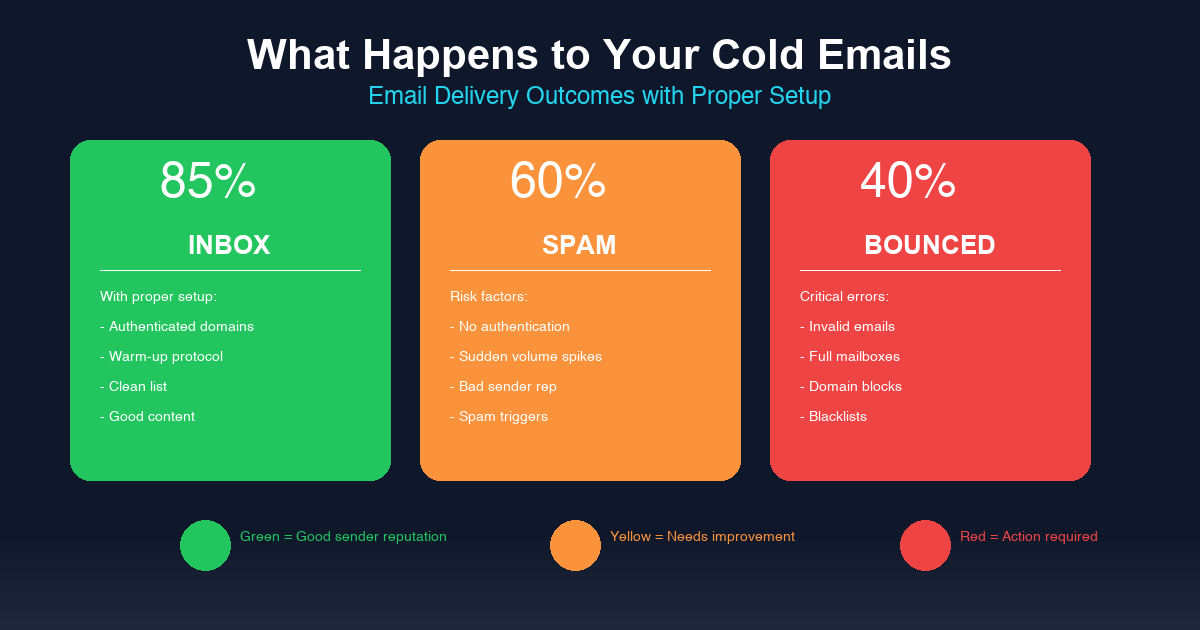
Target results: 95%+ inbox placement across providers, 0% spam folder placement, under 2% bounce rate, under 0.1% spam complaint rate, and an open rate above 20%. Results below these targets require investigation and correction before scaling volume.
Common problems revealed by testing: authentication failures (fix DNS records), poor engagement signals (improve email content and targeting), high complaint rates (audit list quality and message relevance), volume spikes (adjust sending patterns). Following best practices for each of these areas will dramatically improve your campaign performance.
Do the math. If our AI infrastructure reaches out to 1,000 highly qualified, triple-verified decision-makers a day, that’s 30,000 people a month. With our hyper-personalization, even an impossibly conservative 1% reply rate yields 300 qualified conversations. In high-ticket B2B, what happens to your revenue when you’ve 300 conversations with your exact ICP?
Frequently Asked Questions
what’s the fastest way to use Cold Email Deliverability: The Complete Setup Guide for 2026 without burning the market?
Start with a tight ICP, verified data, and a small test batch. Scale only after replies, bounces, and meeting quality prove the message is working.
How many prospects should I contact for Cold Email Deliverability: The Complete Setup Guide for 2026?
The number matters less than the fit. A smaller list of verified decision-makers will beat a large scraped list because inbox placement, relevance, and timing decide reply quality.
Why do most campaigns around Cold Email Deliverability: The Complete Setup Guide for 2026 fail?
Most campaigns fail because the data is weak, the offer is vague, and the follow-up system is inconsistent. Fix those three points before adding more volume.
Should I use email only for Cold Email Deliverability: The Complete Setup Guide for 2026?
No. Email works better when it’s supported by LinkedIn touches, retargeting, and clean CRM follow-up. One channel creates reminders. Multiple channels create recognition.
When should I hire help for Cold Email Deliverability: The Complete Setup Guide for 2026?
Hire help when you already know the customer profile, the offer is validated, and the bottleneck is execution speed. Outsourcing a broken offer only makes the failure happen faster.
The Buyer-Side View
Cold Email Deliverability looks simple from the outside. In practice, the money is made in the boring parts: list quality, timing, proof, follow-up, and clean measurement. If the list is weak, the message is vague, and the follow-up is random, even a smart idea turns into noise.
A serious B2B buyer has one silent question: why should I care right now? If the campaign cannot answer that quickly, the rest of the copy does not matter. That means the message has to earn attention fast: clear pain, clean proof, and a next step that does not feel like a trap.
The Quality Gate
- Fit: Can we explain why this exact person should care in one sentence? If not, the list is too broad.
- Timing: Is there a trigger, market shift, hiring signal, funding event, expansion move, compliance deadline, or operational pain that makes the message relevant now?
- Proof: Does the email give the buyer a reason to trust the claim before asking for time? A sharp observation beats a generic case-study line.
This is not complicated, but it is unforgiving. A sloppy list makes copy look bad. Weak positioning makes good data useless. And a CTA that asks for a meeting too early forces the buyer to do all the mental work.
The cleaner version is simple: start with 150 accounts, not a giant scraped list. Segment them by pain, write one message for one segment, and watch replies before scaling. If that first batch does not produce signal, more volume will not save the campaign. It will only make the failure louder.
Here is the practical takeaway: make Cold Email Deliverability narrower, cleaner, and easier to say yes to. Then scale what the market proves, not what the team hopes will work. Build the data layer first, then the message, then the follow-up system. In that order.
Book a strategy call
How to Judge Cold Email Deliverability Guide Before You Scale
The practical test for cold email deliverability guide is not whether the idea sounds smart. The test is whether it creates qualified pipeline without damaging deliverability, sender reputation, or buyer trust. A strong system connects email lands , cold outreach , like gmail , emails per with clear targeting, clean data, and a message that feels written for the exact account.
If the campaign uses cold email deliverability in 2026 , ultimate guide , email deliverability rate , improve deliverability , test your email , improve your cold email deliverability, the team needs a simple operating rule: do not add volume until replies prove the angle. That means watching inbox placement, open rates, reply quality, bounce behavior, and the number of sales meetings that come from real decision-makers.
The Execution Checklist
- Infrastructure: Check spam test, cold email campaign, 100 cold emails, email deliverability guide before scaling. If this layer is weak, more sending only creates louder failure.
- Targeting: Check test your email deliverability, cold email software, good email deliverability rate before scaling. If this layer is weak, more sending only creates louder failure.
- Message quality: Check strong email deliverability, improve your email deliverability, email deliverability matters, email volume before scaling. If this layer is weak, more sending only creates louder failure.
- Follow-up: Check ensure your emails land, business email, cold email infrastructure before scaling. If this layer is weak, more sending only creates louder failure.
- Measurement: Check you’re sending cold emails, email warm before scaling. If this layer is weak, more sending only creates louder failure.
The bottom line is simple: cold email deliverability guide should be treated like a revenue system, not a one-off campaign. When the list, email infrastructure, personalization, domain setup, and multichannel follow-up work together, the outreach has a real chance to turn cold attention into booked meetings.
The Non-Template Execution Layer
The strongest campaigns feel researched because the language names a specific condition in the buyer’s world. Look at Cold Email Deliverability through the buyer’s day, not through a marketer’s checklist. For Cold Email Deliverability, that means the outreach has to connect the business problem, the buying moment, and the proof in a way that feels specific.
A trigger issue needs different copy than a message issue. A campaign built around evaluation, objection, and proof has more context than a generic pitch. A routing buyer cares about different proof than a director buyer. This is why shallow templates fail. They flatten different buyer situations into one bland message.
- Cadence: Review cadence against the buyer’s real context before increasing send volume.
- Market: Review market against the buyer’s real context before increasing send volume.
- Variance: Review variance against the buyer’s real context before increasing send volume.
- Personalization: Review personalization against the buyer’s real context before increasing send volume.
- Latency: Review latency against the buyer’s real context before increasing send volume.
- Warmup: Review warmup against the buyer’s real context before increasing send volume.
This is the part a generic article usually misses: judgment. A real operator can tell when buyer is the problem, when authority is the problem, and when the whole angle is too soft. That judgment comes from reading replies, checking account quality, and comparing message intent against actual buyer behavior.
The cleaner move is to run a small batch, inspect the signal, then rewrite the weak layer. Do not scale because the copy looks polished. Scale because the replies prove the market understands the value.